Need personal help? We reply quickly.
Reach our team directly — we walk new creators through setup.
InkToAudio help center
How to use InkToAudio
A complete, plain-English guide for turning your writing into studio-quality audio and distributing it as a podcast. Every feature is explained step by step — no technical knowledge required.
Using your audio
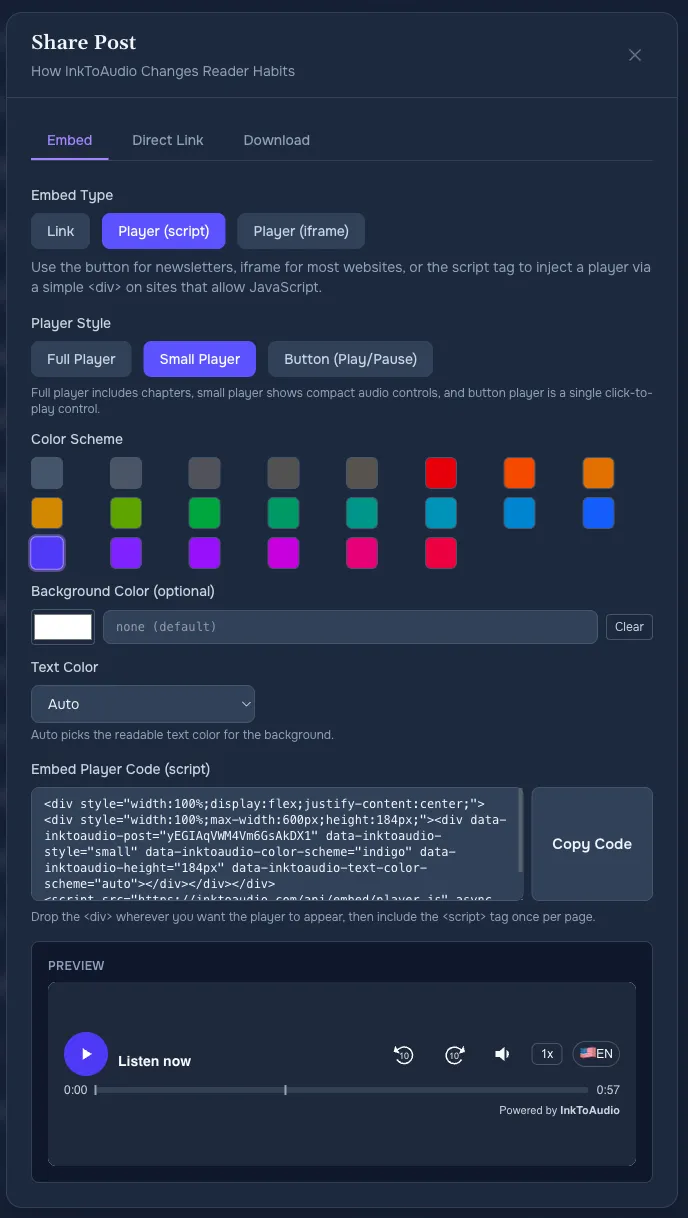
After a post is rendered, open Content and click Share. The Share dialog gives you the practical ways to publish audio: a link, website player, iframe, email-friendly button, or MP3 download.
Direct link
A direct link opens the hosted listen page on inktoaudio.com. It is the simplest option and works anywhere you can paste a URL.
- Use it for: newsletters, social posts, Slack, text messages, and quick previews.
- Tracking: listens count in Analytics.
Website player (recommended for article pages)
The Script tab creates a player that appears directly on your website. Choose a full player, small player, or simple button, then copy the generated code into your CMS exactly where you want the player to appear.
- Full player — best below a headline or near the start of a story.
- Small player — best for sidebars and tight page layouts.
- Play/pause button — best when you want a minimal visual footprint.
Tip
Iframe embed
Use the iframe option when your CMS blocks scripts. It is still an embedded player, but you may need to set the height suggested in the Share dialog. Paste the generated code into your CMS exactly where you want the player to appear.
Email button
Most email platforms do not allow playable audio embeds inside an email. The Button tab creates an email-safe button that opens the listen page in a browser.
Download the MP3
Use Download if you need the file for archiving, external production, or uploading somewhere else.
Analytics warning
Which option should I choose?
- Article page: script embed.
- Locked-down CMS: iframe embed.
- Email newsletter: direct link or button.
- Podcast apps: podcast feed.
- External editing or backup: MP3 download.