Need personal help? We reply quickly.
Reach our team directly — we walk new creators through setup.
InkToAudio help center
How to use InkToAudio
A complete, plain-English guide for turning your writing into studio-quality audio and distributing it as a podcast. Every feature is explained step by step — no technical knowledge required.
Settings and account
Open Settings in the sidebar to control your profile, branding, and defaults. Changes save when you click Save changes inside each section.
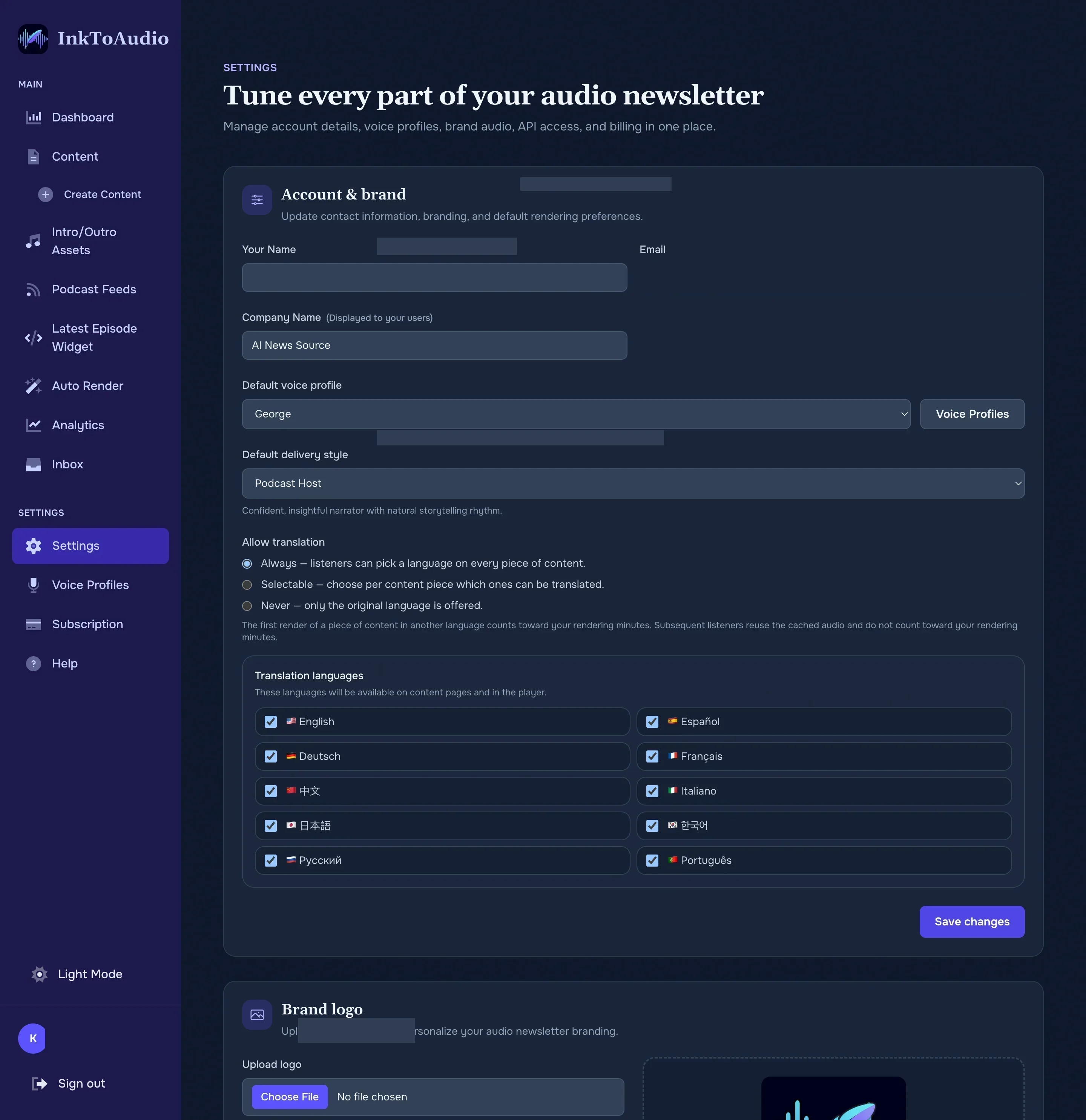
Account information
- Your name — how you appear inside the app.
- Email — the email address you sign in with.
- Company name — shown as the brand on your public listen pages and podcast feed.
- Default voice profile — the narrator that is pre-selected every time you create a new post. Click the Voice profiles button to jump to the voice list.
- Default delivery style — the style of speech (e.g. conversational, energetic) used to deliver your scripts by default. You can override this on individual content pieces.
- Allow translation — controls whether listeners can hear your content in other languages:
- Always — listeners can pick a language on every piece of content.
- Selectable — choose per content piece which ones can be translated.
- Never — only the original language is offered.
AI instructions
Save house style, pronunciation notes, or other guidance, then pick it from Add AI Instructions when you use the AI helpers on a post. Instructions you use in the post editor are saved automatically, and this section is where you edit or remove them.
- Each saved instruction has its own text box. To edit one, change the text in place.
- Add instruction: adds a new empty box. You can save up to 50 instructions, and each one can be up to 5,000 characters.
- Remove: takes that instruction out of the list. It is deleted when you save.
- Save changes: saves the whole list. The button stays disabled until something changes. Blank boxes and duplicates are dropped when you save.
After you save, your instructions show up in the Select a saved prompt dropdown in the post editor once you turn on Add AI Instructions. See Creating content for how the AI helpers work.
Brand logo
Upload a square logo that appears on your public listen pages and as fallback podcast cover art. Click Delete logo to remove it.
Tip
Email forwarding address
A shortcut to the same controls as the full Forwards page — generate, regenerate, copy, remove, or delete the forwarding address, and restrict sending domains.
Signing out
Click the account menu in the top right and choose Sign out to end your session.