Need personal help? We reply quickly.
Reach our team directly — we walk new creators through setup.
InkToAudio help center
How to use InkToAudio
A complete, plain-English guide for turning your writing into studio-quality audio and distributing it as a podcast. Every feature is explained step by step — no technical knowledge required.
Latest content widget
The Latest Content Widget is a self-updating embed that automatically shows your most recently published episodes on any webpage. Every time you publish, the widget updates — no editing the embed required.
Unlike a single-post embed, the widget pulls live from your account. Each episode links to its listen page.
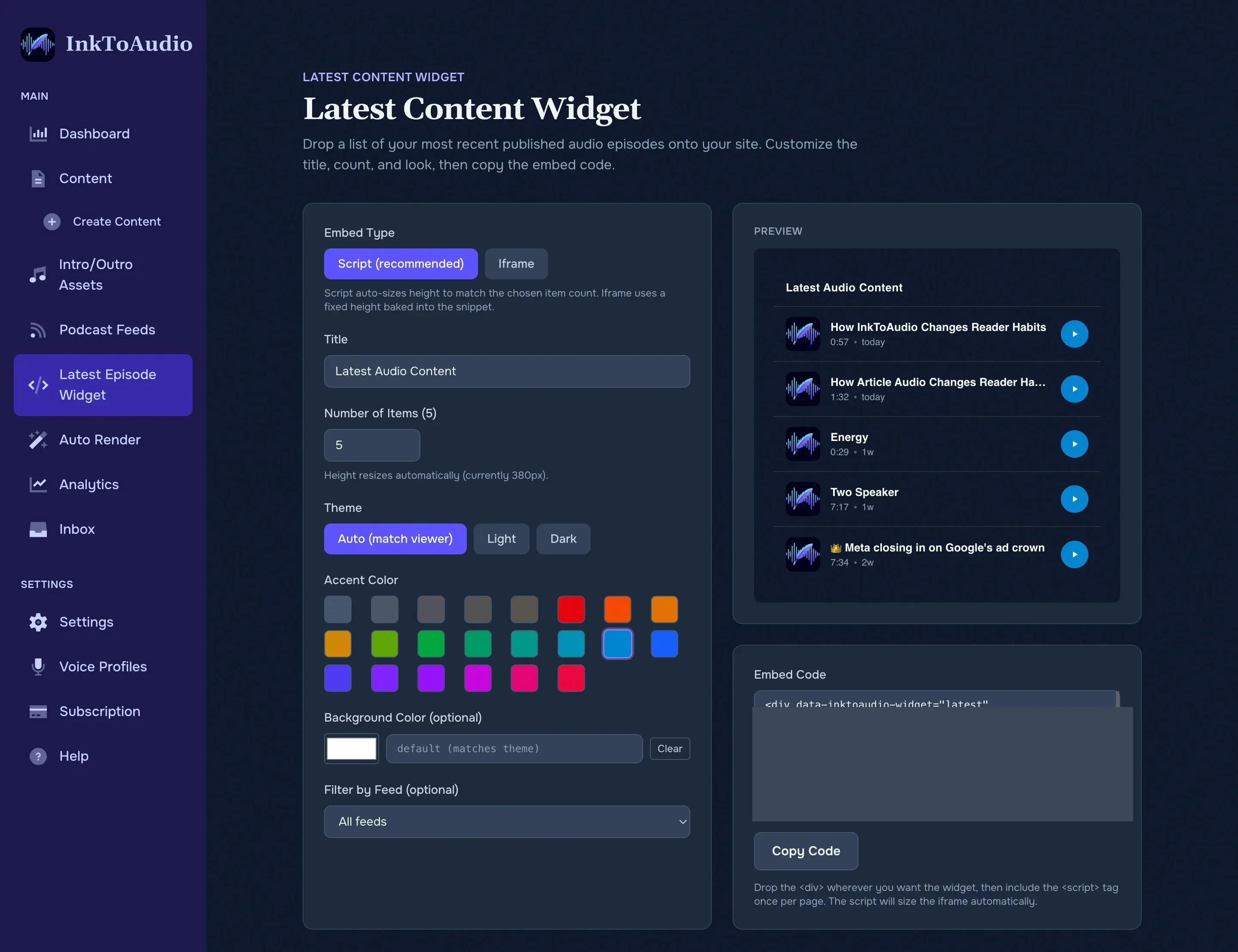
Create the widget
Open Latest Content Widget from the sidebar. On the Latest Content Widget tab you can:
- Set a heading, such as Latest Audio Stories, or hide it.
- Choose how many episodes to show.
- Pick colors and a light, dark, or automatic theme.
- Filter to one podcast feed if you run multiple shows.
- Preview the widget before copying the code.
Add it to your site
Copy the generated snippet and paste it into your CMS where the list should appear. Choose the script option for most websites, or iframe if your CMS blocks JavaScript.
What readers see
- Only published episodes. Drafts and unpublished posts are hidden.
- Episode title, publish date, and a play or listen action.
- Fresh episodes automatically appear after you publish them.
Tip
When to use the widget vs. a single-post embed
- Widget — homepage, blog sidebar, "latest episodes" section. Self-updating; install once, never touch again.
- Single-post embed (from the Share dialog) — inside a specific blog post or page where one episode belongs with one piece of writing.