Need personal help? We reply quickly.
Reach our team directly — we walk new creators through setup.
InkToAudio help center
How to use InkToAudio
A complete, plain-English guide for turning your writing into studio-quality audio and distributing it as a podcast. Every feature is explained step by step — no technical knowledge required.
The dashboard
The Dashboard is your newsroom home base. It gives you shortcuts to create audio, review recent posts, watch usage, and open the settings you need most often.
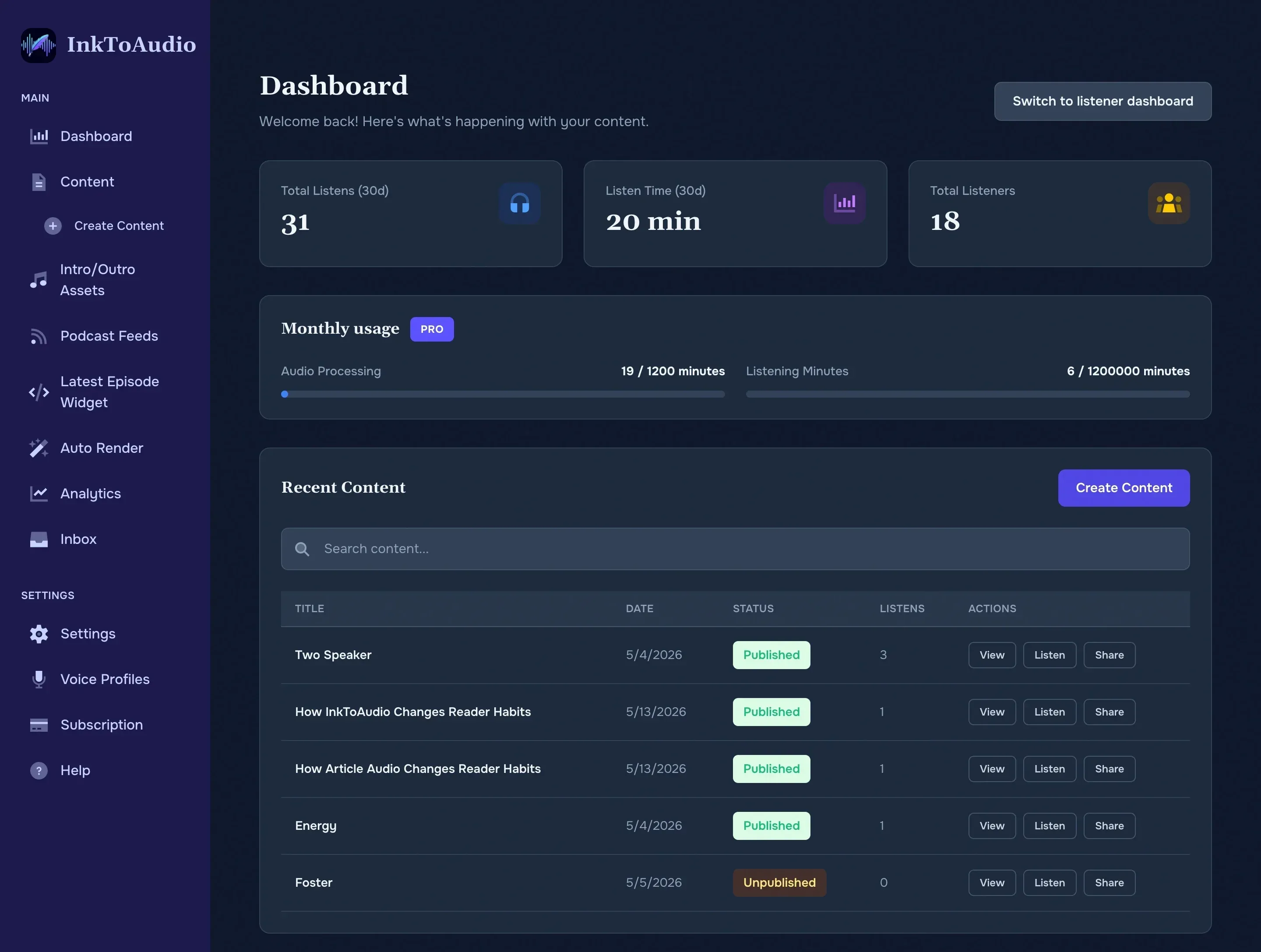
The left-hand sidebar
Use the sidebar like a table of contents for your account. The names are meant to describe the job you are doing:
- Content — all posts and episodes you have created.
- Create content — paste or write the next article to narrate.
- Intro/Outro assets — reusable audio clips, such as a show open or sponsor message.
- Podcast feeds — RSS feeds for Apple Podcasts, Spotify, YouTube, and other podcast apps.
- Analytics — listens, unique listeners, completion rate, and top posts.
- Forwards — newsletters received by your private forwarding address.
- Subscribers — audience contacts connected to your account.
- Settings — your brand name, logo, default voice, translation choices, and inbox address.
- Voice profiles — saved narrators, including any cloned voices.
- Subscription — plan, usage, payment method, and invoices.
What the dashboard numbers mean
- Recent posts show what you worked on most recently and whether each item is a draft, rendering, published, or failed.
- Rendering minutes are the minutes of audio you generate from text during the current billing cycle.
- Streaming minutes are the minutes your listeners spend playing audio through InkToAudio links, embeds, and feeds.
- Shortcuts take you straight to common actions such as creating a post, adding a voice, or changing settings.
Journalist-friendly mental model
Creator vs. individual accounts
Most help pages describe creator accounts because creators publish audio. Individual accounts are for listeners who want a personal listening experience.
- Creator accounts can create content, render audio, publish feeds, embed players, and view analytics.
- Individual accounts can listen and follow content but do not see the publishing tools.