Need personal help? We reply quickly.
Reach our team directly — we walk new creators through setup.
InkToAudio help center
How to use InkToAudio
A complete, plain-English guide for turning your writing into studio-quality audio and distributing it as a podcast. Every feature is explained step by step — no technical knowledge required.
Subscription and billing
Open Subscription in the sidebar to pick a plan, review your usage, and manage payment details.
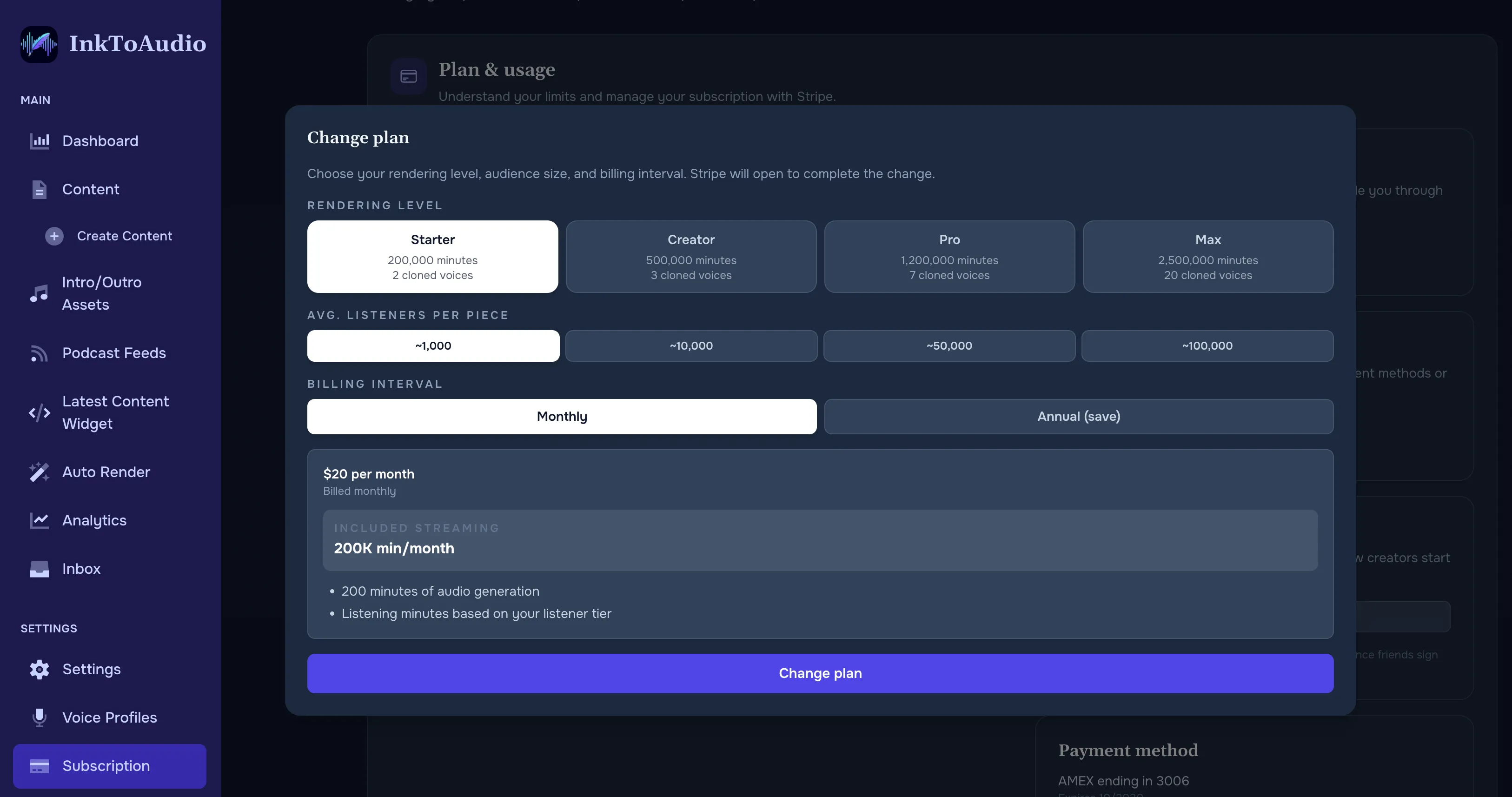
What each plan includes
Every plan includes the core features — voice profiles, content creation, podcast feeds, and analytics. Plans differ in:
- Rendering minutes — how many minutes of narration you can produce per month.
- Streaming minutes — how much listening time your audience can consume per month on your hosted player.
- Cloned voices — how many custom voices you can create.
- Team members — how many people can access the workspace, including pending invitations.
Picking a plan (free or new users)
On the subscription page you will see:
- A monthly / annual toggle. Annual plans will give you two free months!
- A listener tier selector (~1K / ~10K / ~50K / ~100K listeners). Move this up or down to see plans sized for your audience.
- Four plan cards with price, included minutes, and a Get started button.
Click Get started on any card to check out via Stripe. Payment, receipts, and refunds all go through Stripe.
Managing an existing subscription
- Current plan — name, renewal date, cancellation status, and trial info (if applicable).
- Usage bars — minutes rendered and streaming minutes used this cycle.
- Change plan — opens the same plan picker so you can upgrade or downgrade. Changes take effect at the next billing date.
- Manage subscription — opens Stripe’s portal in a new tab, where you can update payment method, view invoices, or cancel.
Free trial
Every new account includes a free trial of 25 rendering minutes. No time limit — the trial continues until you use all 25 minutes or pick a paid plan.
Cloned voice limits by plan
- Starter — 2 cloned voices.
- Creator — 3 cloned voices.
- Pro — 7 cloned voices.
- Enterprise — 20 cloned voices.
When usage resets
Rendering and streaming minutes reset on your billing cycle anniversary — the same day of the month (or year) you first subscribed, not on the first of the month.
Payment method and invoices
- Payment method card — brand, last four digits, and expiry.
- Next invoice card — amount and due date.
- Click Manage subscription to update any of this.
Tip