Need personal help? We reply quickly.
Reach our team directly — we walk new creators through setup.
InkToAudio help center
How to use InkToAudio
A complete, plain-English guide for turning your writing into studio-quality audio and distributing it as a podcast. Every feature is explained step by step — no technical knowledge required.
Email forwarding
Most creators write their newsletters in a tool like Substack, Beehiiv, Mailchimp, or ConvertKit. Forwards lets you forward that email to a private InkToAudio address, and we turn it into a ready-to-narrate post for you.
Setting up your forwarding address
- Open Forwards in the sidebar.
- Click Generate address. InkToAudio creates a unique email address for your account (e.g.
you-abc123@in.inktoaudio.com). - Click the Copy button to put it on your clipboard.
Sending a newsletter in
- In your newsletter tool, send yourself a test issue (or forward an existing one) to the InkToAudio address.
- Within a minute or two the email appears in your Forwards. InkToAudio parses the HTML and creates a draft post with the content ready to render.
- Open Content and render or publish the new post as normal.
Restricting who can send
By default, any sender can reach your forwarding address. To lock it down:
- Tick Restrict sending domains.
- In Allowed sender domains, list domains one per line (e.g.
substack.com,mail.beehiiv.com). - Anything sent from outside those domains is ignored.
Browsing received emails
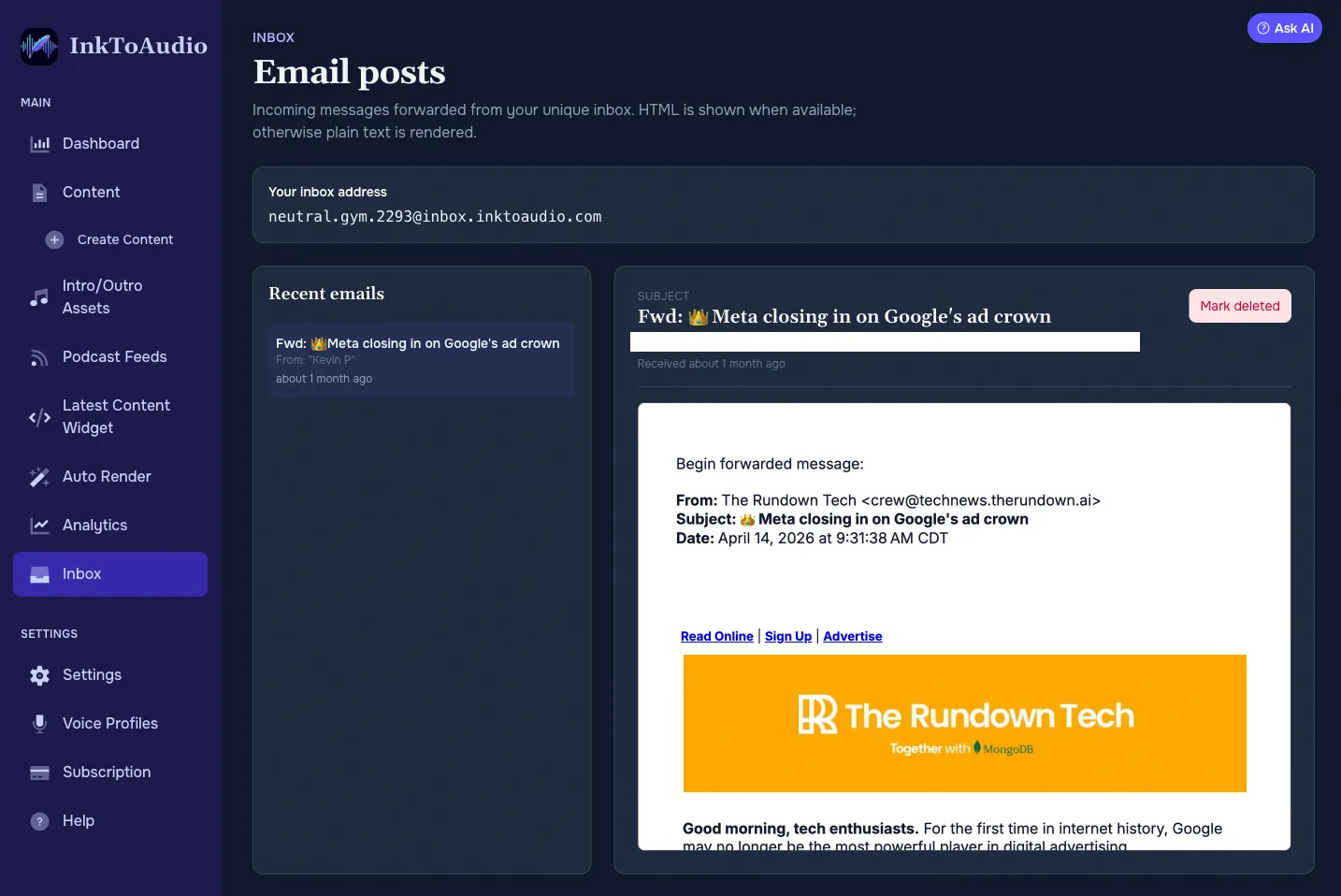
- The left panel lists every email we received, newest first.
- Click an email to see the subject, from/to, received time, and rendered HTML or text content in the right panel.
- Use Mark deleted to hide an email from the list, or Restore to bring it back.
What gets through
- Plain text and HTML email bodies are supported.
- Attachments are ignored.
- Images embedded in the email are stripped before the draft is created.
Auto Ingest: a separate address for each newsletter
Your Forwards address sends everything to one place. Auto Ingest lets you create more addresses, each with its own voice and production settings, so one newsletter can become a finished episode while another waits as a draft for your review. Each Auto Ingest pipeline gets a unique email address on the same domain as your Forwards address.
Setting up an Auto Ingest pipeline
- Open Auto Ingest in the sidebar and click New Auto Ingest.
- Give it a name, such as the name of the newsletter.
- Under When an email arrives, choose what happens to each email (see below).
- Pick a voice profile (required), then set the delivery style, AI transformation, AI instructions, additional languages, multi-speaker, intro and outro audio, and podcast feeds. For AI instructions, you can pick one of your saved instructions from the dropdown or type your own.
- Click Create Auto Ingest. Your address is created when you save.
- Open the pipeline, click Copy next to the address, then forward newsletters to it or subscribe the address to a newsletter.
Create audio automatically or save as a draft
- Create audio automatically: each email becomes a post and starts rendering right away with the pipeline settings. Rendering uses your plan's render minutes.
- Save as a draft: each email becomes a post with your voice and AI settings already applied and the AI transformation already run, but no audio is created until you render it from Content.
Pausing, new addresses, and good to know
- Paused: emails still show up in Forwards, but no post is created. Turn it off to start creating posts again.
- Generate new address gives the pipeline a new address. The old address stops working immediately, so update any newsletter subscriptions that use it.
- Restrict sending domains in Settings and automatic newsletter subscription confirmation also apply to Auto Ingest addresses.
- If the same email content arrives twice, even at different addresses on your account, only one post is created.
- Your main Forwards address and its Auto render option in Settings work the same as before.
- Anyone with access to view content can see your pipelines. Creating, editing, pausing, generating a new address, and deleting need permission to manage the account, the same as Auto Render.
Tip