Need personal help? We reply quickly.
Reach our team directly — we walk new creators through setup.
InkToAudio help center
How to use InkToAudio
A complete, plain-English guide for turning your writing into studio-quality audio and distributing it as a podcast. Every feature is explained step by step — no technical knowledge required.
Podcast feeds
A podcast feed is an RSS link that tells apps like Apple Podcasts, Spotify, and Overcast where to find your episodes. One feed = one podcast show. Most creators only need one.
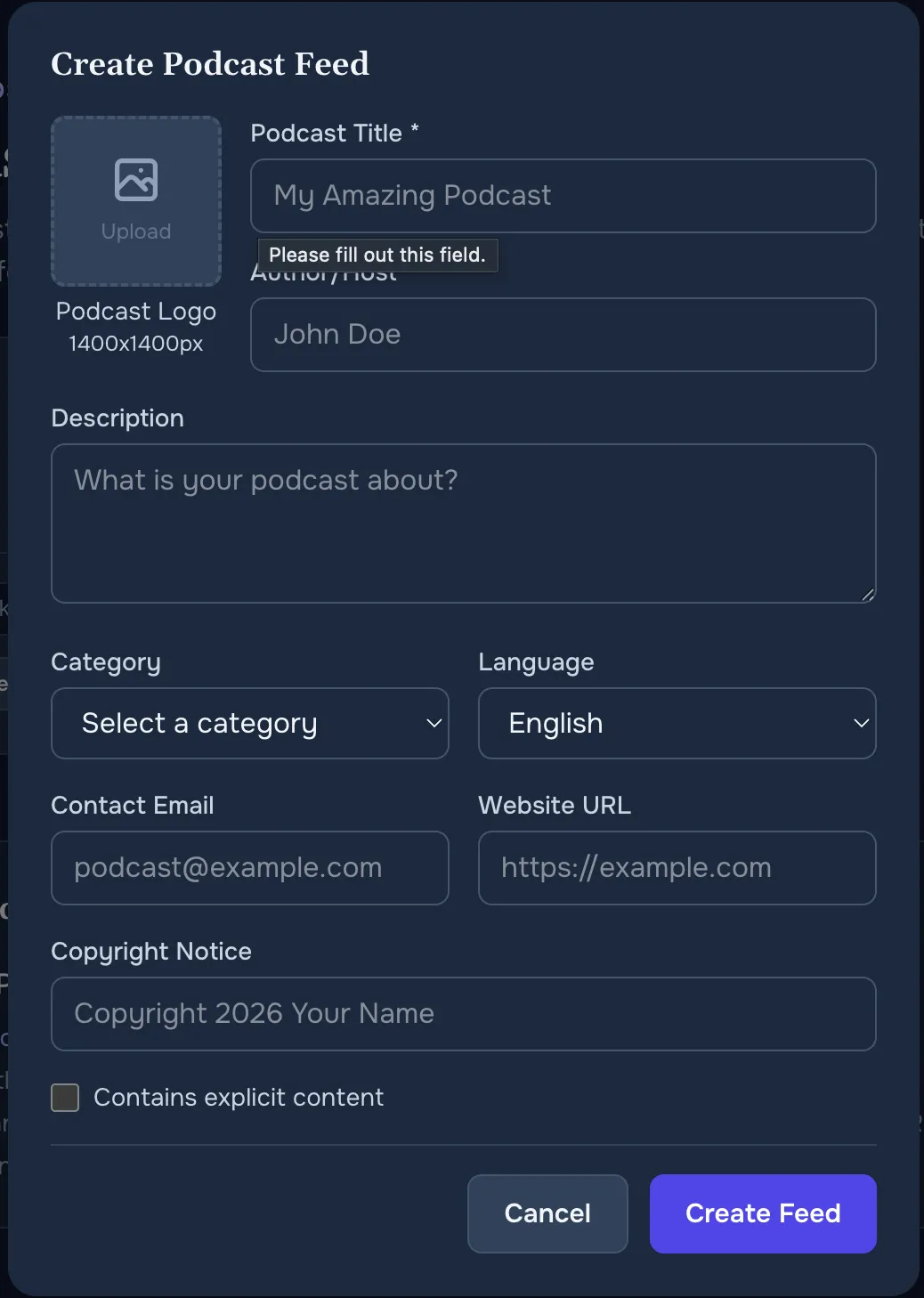
Creating a feed
- Open Podcast feeds in the sidebar.
- Click Create feed. A form opens.
- Fill in:
- Podcast title (required).
- Author / host — your name or brand.
- Description — one paragraph about the show. Listeners see this in podcast apps.
- Category — pick the Apple Podcasts category that best fits (News, Business, Technology, etc.).
- Language.
- Contact email — required by most directories.
- Website URL — your newsletter or website.
- Copyright notice.
- Contains explicit content — tick if relevant.
- Logo — drag and drop your cover art. Apple requires square art at least 1400×1400 pixels.
- Click Save. Your feed is live immediately.
Adding episodes
In Create content, tick the box for the feed(s) the post belongs to. When you publish a post, it appears in the feed. You can add the same post to multiple feeds.
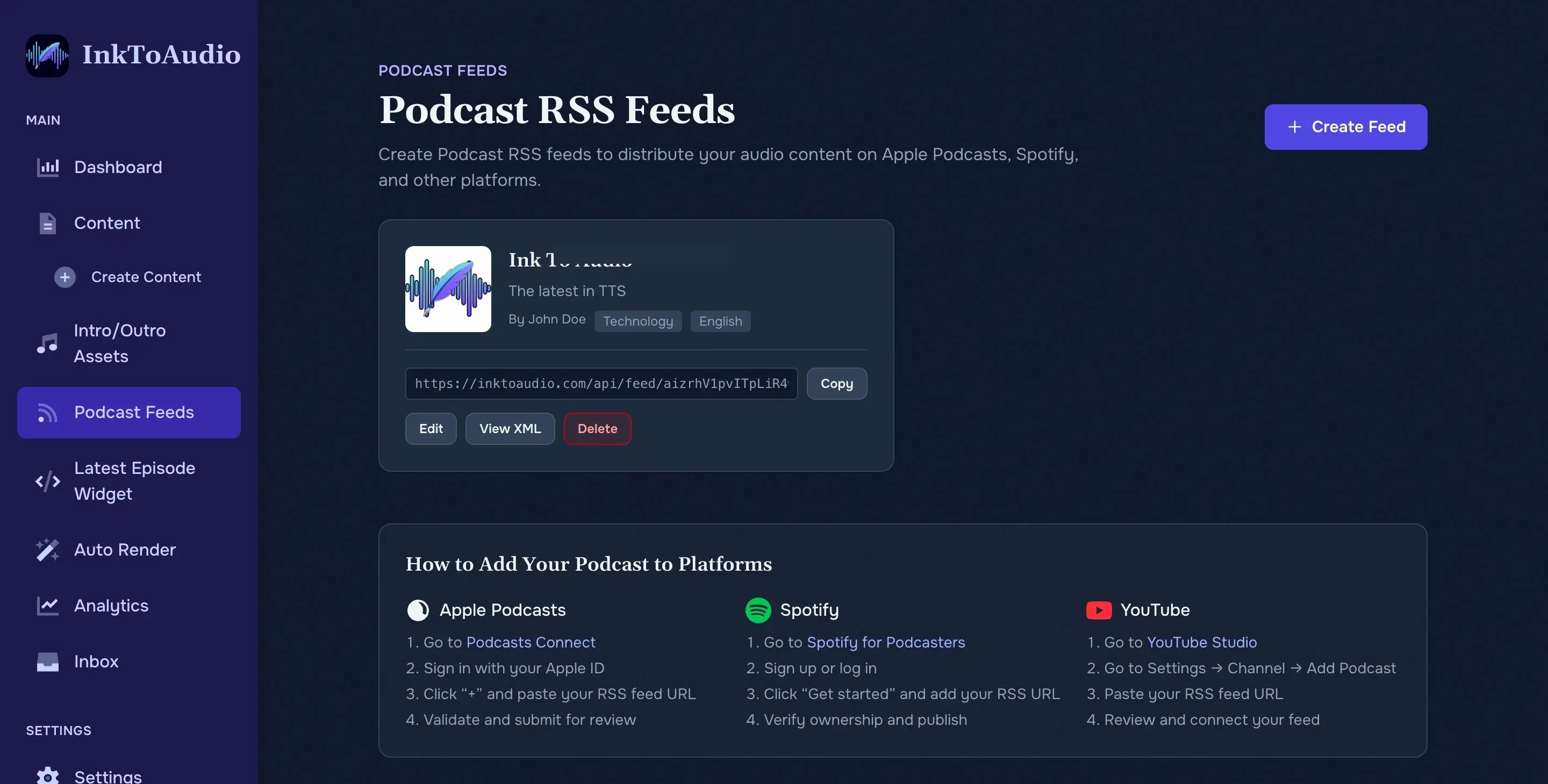
Submitting to podcast apps
- On the feed card, click Copy next to the feed URL.
- Submit the URL to each podcast directory:
- Apple Podcasts —
podcastsconnect.apple.com. - Spotify —
podcasters.spotify.com. - YouTube — via YouTube Studio → Content → Podcasts.
- Amazon, Overcast, Pocket Casts, and most others will find you automatically once Apple approves you, or accept the feed URL directly.
- Apple Podcasts —
- Each platform verifies your feed before making your show searchable. Typical turnaround:
- Spotify — usually a few minutes to a few hours.
- Apple Podcasts — usually 24 hours to a few days.
- YouTube — usually within 24 hours after you verify your RSS feed in YouTube Studio.
- Amazon Music, Pocket Casts, Overcast, Castro — typically within a day of submission or Apple approval.
Tip
The Podcast feeds page has a built-in Help section with step-by-step screenshots for the biggest platforms. Expand it if you get stuck during submission.
Editing and deleting feeds
- Edit — change any of the metadata at any time. Podcast apps pick up changes within a day.
- View XML — see the raw feed file. Useful only if you’re debugging.
- Delete — removes the feed. Warning: this will break the podcast for existing listeners. Use with care.