What Is a Podcast RSS Feed?
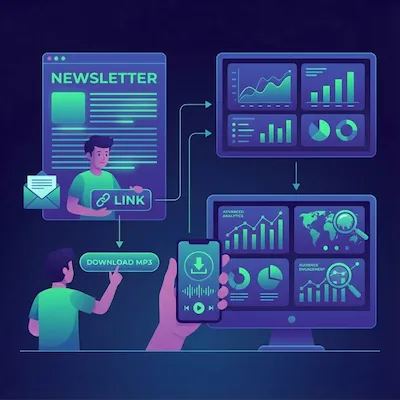
Newsletter publishers think in subscribers, sends, and inboxes. Podcasters think in feeds, episodes, and apps. Both systems move new content to a waiting audience. Once you understand the role of a podcast RSS feed, the rest of the infrastructure becomes easier to follow.
This guide explains exactly what a podcast RSS feed is, how podcast apps consume it, what it must contain, and how it differs from the RSS feed your website probably already produces.
The plain-language definition
A podcast RSS feed is a single XML file, hosted on the public internet, that lists every episode of a show. Each episode entry includes the title, description, publish date, and — critically — a direct URL to the audio file. That is the entire core of it. Everything else in the podcast ecosystem is an app reading this file.
When you submit a podcast to Apple Podcasts or Spotify, you do not upload audio to Apple or Spotify. You give them the URL of your RSS feed. Their servers fetch the file, parse it, list your show in their directory, and check the file periodically for new entries. When a new episode appears, they download it and make it available to listeners — without you doing anything.
How podcast apps read the feed
When a listener subscribes to your show in Apple Podcasts, Spotify, Overcast, or Pocket Casts, the app stores a copy of your RSS feed URL. On a schedule — typically every few hours — the app re-fetches the file and compares it with its previous copy. New entries trigger an episode download. Removed entries hide the episode. Edits update the title or description.
This polling model has a useful consequence: you do not push episodes to platforms. You publish to your feed, and platforms pull. That means a single feed can serve every podcast app simultaneously, and you never need separate uploads. It also means episodes appear on every platform within a few hours of you publishing.
Required feed fields
A valid podcast RSS feed includes show-level metadata (set once) and per-episode metadata (added on every new episode). The major podcast directories all enforce roughly the same minimum set of fields.
| Element | Level | Purpose |
|---|---|---|
| <title> | Show | Display name in podcast directories |
| <description> | Show | Long-form show description |
| <itunes:image> | Show | Cover artwork URL (1400×1400 minimum, 3000×3000 maximum) |
| <language> | Show | Language code (en-US, en-GB, es, etc.) |
| <itunes:category> | Show | Directory category (e.g. Technology, News) |
| <itunes:owner> | Show | Owner name and email — required by Apple |
| <itunes:explicit> | Show | Explicit content flag (true/false) |
| <item><title> | Episode | Episode title |
| <item><enclosure> | Episode | Direct URL to the audio file plus length and MIME type |
| <item><pubDate> | Episode | Episode publish date in RFC-822 format |
| <item><guid> | Episode | Unique identifier for the episode |
| <item><itunes:duration> | Episode | Episode length in seconds or hh:mm:ss |
Missing any required show-level field is the most common reason Apple Podcasts rejects a feed at submission. The owner email is the single most frequently forgotten one.
Podcast RSS vs. website RSS
Many websites already publish a regular RSS feed of their articles. It is tempting to assume a podcast RSS feed is the same thing with audio attached. It is not — quite.
A website RSS feed describes articles. Each entry contains a link to a page that humans read in a browser. The feed is consumed by RSS readers like Feedly or Inoreader.
A podcast RSS feed describes audio episodes. Each entry contains an <enclosure> element pointing directly to an audio file (typically MP3 or AAC), plus iTunes-namespaced metadata that podcast directories require. The feed is consumed by podcast apps, not RSS readers.
You can host both kinds of feed on the same site for the same content — one for readers, one for listeners. But you cannot submit a regular website RSS feed to Apple Podcasts. The iTunes-specific metadata and the audio enclosure are both required.
Podcast RSS vs. newsletter delivery
Newsletter delivery is push-based: you send each issue out to a list of subscriber email addresses. Podcast delivery is pull-based: you publish to a feed, and apps pull on their own schedule on behalf of listeners. The publisher does not know the listener's identity, and there is no list to maintain.
That tradeoff is the reason podcast metrics look different from newsletter metrics. There is no open rate equivalent because there is no email to open. There is no unsubscribe equivalent because there is no list to be on. What you measure instead is downloads (the audio file fetched from your feed), listens (playback events reported by apps and embedded players), and completion rate (how far through the episode listeners got).
Why audio files and metadata matter
The two technical components of a podcast feed entry — the audio file and its metadata — each carry their own constraints. Audio files must be hosted with reliable, high-bandwidth servers because every download triggers a fetch from your host. A spike of listeners after Apple Podcasts features your show can pull thousands of downloads in minutes. If your host throttles or charges per download, that spike becomes a problem.
Metadata matters because it is what podcast apps display. The episode title, description, and artwork are everything a potential listener sees before deciding to play. A great episode buried under a weak title and a generic description does not get clicked — and the apps do not show analytics on the listeners you never had.
How InkToAudio turns written content into a feed
For newsletter publishers, the gap between "I have writing" and "I have a podcast" is mostly mechanical: produce the audio, write the metadata, host the file, generate valid RSS. InkToAudio collapses that work into a single workflow.
- Paste, import, or auto-ingest the issue from your newsletter platform.
- Choose a studio voice or your cloned voice; the AI script optimization handles spoken-delivery rewrites.
- Audio is rendered to MP3 and hosted on a high-bandwidth CDN.
- A valid podcast RSS feed is generated with all required iTunes metadata.
- The feed updates automatically every time you publish a new episode.
- Submit the feed URL once to Apple Podcasts and Spotify and every future episode propagates automatically.
You do not need to edit XML or host audio files yourself. Submit the feed once, then let the feed and platform handle new episodes.
Frequently Asked Questions
Do I need to write the RSS feed XML myself?
No. Podcast hosts and platforms like InkToAudio generate the XML automatically based on the show metadata and episodes you create. You never edit XML directly.
Can I host the audio files myself and submit my own feed?
Yes, technically — but it is rarely worth it. Self-hosting requires high-bandwidth servers, MIME type configuration, and ongoing RSS validation. Most publishers use a service that handles all of it.
How often do podcast apps check my feed for new episodes?
Most apps re-fetch the feed every few hours. Apple Podcasts and Spotify offer ping APIs to trigger an immediate refresh when you publish. Quality podcast hosts call these APIs automatically.
Can I have one show with multiple RSS feeds?
Yes. Publishers often run separate feeds per section, topic, or subscriber tier — including private feeds for paid subscribers. Each feed is independent and submitted separately to directories.
What happens if I change my RSS feed URL?
You should avoid it. Changing the feed URL breaks existing subscribers in podcast apps unless you set up a 301 redirect from the old URL. A hosted platform keeps the URL stable for you.
Start converting your newsletter to audio today
InkToAudio handles synthesis, podcast distribution, and analytics—free to start.
Try InkToAudio free