Subscribe Your Inbox to Newsletters and Listen to Every Issue
Newsletters pile up because reading requires focused screen time. Audio fits into time when a screen is inconvenient, such as a walk or a drive. InkToAudio lets you send those issues to a private listening inbox instead.
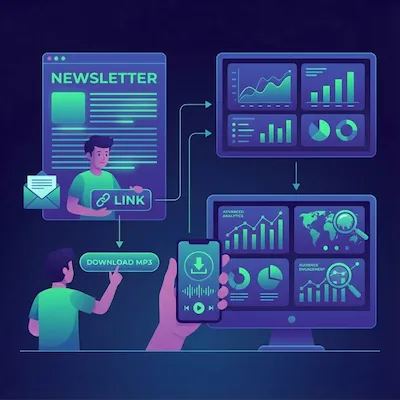
InkToAudio gives every listener a private email address. Forward an article to it and you get back clean, narrated audio. You can also subscribe that address to a newsletter directly. From then on, each new issue becomes audio automatically, turning the newsletters you follow into a personal podcast.
How it works in four steps
The whole idea rests on one trick: a newsletter does not care whose inbox it sends to. So you give it your InkToAudio listening address instead of your normal one.
1. Pick a newsletter you want to listen to
Choose a newsletter you want to hear every time it is published. A daily news brief, weekly essay, or Substack you never miss works well because each issue can turn into audio automatically.
2. Subscribe your InkToAudio inbox address to the newsletter
Copy your private listening address from your dashboard. It looks like word.word.12345@inbox.inboxtoaudio.app. Then go to the newsletter’s sign-up form and paste your InkToAudio address into the email field instead of your usual one. Submit the form normally.
3. Confirm your subscription, if asked
Many newsletters send a confirmation email before they start sending issues. Click the link once to activate the subscription. Because you signed up with your InkToAudio address, the confirmation lands in your listening inbox. Some newsletters skip this step; if no confirmation appears within a few minutes, you may already be subscribed.
4. Listen—automatically, every issue
That is the last step you take. The next time the newsletter publishes, the issue arrives in your listening inbox, we strip out the clutter, generate the audio in your chosen voice, and send you a private listen link. Every future issue follows the same path with zero extra effort.
How to unsubscribe
To stop a newsletter, open any issue from it in your InkToAudio listening inbox, scroll to the footer, and click the unsubscribe link. Follow the prompt to confirm. New issues stop arriving, while audio you already generated stays playable.
Subscribe or forward?
- Subscribe when you want every issue of a newsletter, hands-free, going forward. Best for the publications you follow regularly.
- Forward when you want a one-off, such as a single article or email you do not want to receive regularly.
- You can mix both. Subscribe your three favorite newsletters and forward the occasional article that catches your eye.
A few good habits
Treat your listening address like a password. Anyone who has it can send to your inbox. If it leaks or unwanted email starts arriving, regenerate it from your dashboard and re-subscribe to your favorites with the new address. If you only accept email from approved senders, add each newsletter’s sending address or its issues will be blocked.
Frequently Asked Questions
Do I need to forward anything once I subscribe?
No. After you subscribe your InkToAudio address to a newsletter, every new issue arrives and becomes audio on its own. Forwarding is for one-off articles.
Where does the confirmation email go?
To your InkToAudio listening inbox, because that is the address you signed up with. Use the link we forward to you, or open your listening inbox and click the confirmation link inside the email.
How do I stop hearing a newsletter?
Open any issue from that newsletter in your listening inbox, find the unsubscribe link in the footer, and click it. New issues stop arriving. Audio you already generated stays playable.
What if the newsletter will not accept my InkToAudio address?
A few sign-up forms block unfamiliar addresses. If that happens, subscribe with your normal email and forward issues to InkToAudio instead, or contact support@inktoaudio.com and we will help.
Can I subscribe to more than one newsletter?
Yes. Subscribe to as many as you like. Each issue becomes its own audio item. Your monthly plan is measured in minutes of generated audio, so heavier readers may want a larger plan.
Start converting your newsletter to audio today
InkToAudio handles synthesis, podcast distribution, and analytics—free to start.
Try InkToAudio free